HIPAA Rules SOP
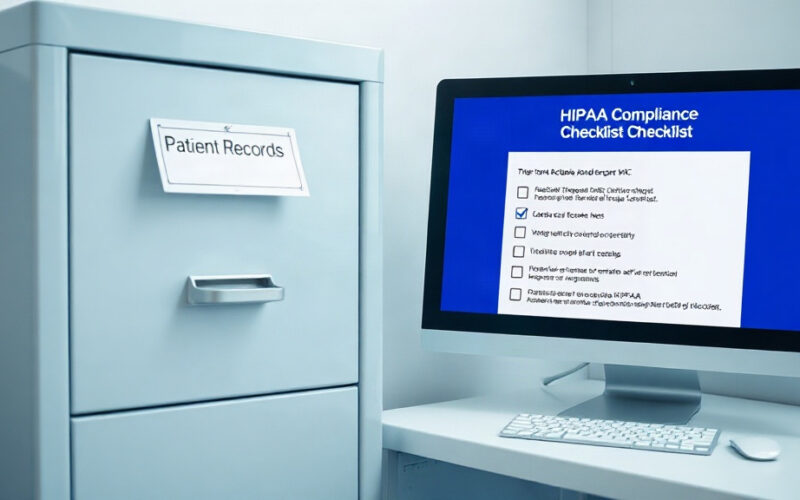
Your HIPAA SOP library should include at minimum:
- Minimum necessary standard: who can access which patient data, and how to log that access
- Breach response protocol (time-sensitive: 60-day notification deadline to HHS for breaches affecting 500+ patients)
- Annual workforce training requirement: who tracks completion, where it’s recorded
- Business associate agreement checklist (vendors who touch PHI)
HIPAA rules intersect with your digital setup. Our HIPAA compliance guide covers the full requirements for dental practices, including the Security Rule obligations most offices miss.
OSHA Rules SOP
The Bloodborne Pathogen Standard requires a written Exposure Control Plan updated annually. Beyond that document, your day-to-day SOPs should cover:
- Sharps disposal: container locations, change-out schedule, disposal vendor
- Personal protective equipment: what’s required by procedure, where it’s stored, how it’s replaced
- Post-exposure protocol: who to call, what to record, timeline for medical evaluation
- Annual training log: format, who tracks it, where it’s stored
Infection Control Protocol
Follow current CDC Guidelines for Infection Control in Dental Health-Care Settings. Your SOP should specify surface disinfection products and contact times, PPE requirements by procedure category, and how to handle a patient who arrives with an undisclosed infectious condition.
Record Retention Schedule
- Which records to keep (patient charts, financial records, employee files, controlled substance logs, cleaning logs)
- Retention periods by record type (patient records: typically 10 years post-treatment or until age of majority)
- Storage format (paper vs. digital, backup requirements)
- Destruction protocol for expired records (shredding vendor, certificate of destruction)
How to Write an SOP Your Team Will Actually Use
A good SOP gets followed. Most practices write SOPs that don’t get followed because they’re too long, too vague, or written in policy language instead of plain instructions. Here’s the format that works.
The SOP Template
Every SOP should include these seven fields, in this order:
1. Title
Clear and specific. “Insurance Check SOP” beats “Insurance Steps.”
2. Purpose
One sentence. What does this procedure accomplish and why does it matter? “This procedure ensures accurate insurance data is collected before every appointment, reducing claim denials and patient balance disputes.”
3. Responsible Person(s)
Name the role, not the person. “Front Desk Coordinator” rather than “Sarah.” People leave. Roles stay.
4. Triggers / When This Applies
When does this SOP kick in? “This procedure applies to all new and returning patients with insurance on file, for all scheduled appointments.”
5. Step-by-Step Instructions
Numbered. Plain language. One action per step. Write for a new hire who has never worked in a dental office. Include where in the PMS each step is recorded.
6. Exceptions and Escalation
What do you do when the normal process doesn’t work? “If insurance cannot be confirmed within 24 hours of the appointment, notify the office manager and record the attempt in the patient chart notes.”
7. Version Information
Effective date, last reviewed date, who reviewed it. A maintenance anchor.
Practical Writing Rules
Keep every SOP to one or two pages. Longer than that, it won’t get read during an actual patient interaction. Use screenshots from your practice management software where steps are system-specific. Photograph your instrument trays and cleaning setups for clinical SOPs.
Store master versions somewhere every team member can access: a shared Google Drive folder, Notion workspace, or a dedicated SOP platform like Trainual or Process Street. Print laminated quick-reference cards for high-frequency steps and post them at the workstation.
Write every SOP in second-person, present tense. “You log into Dentrix. You open the patient chart. You click Insurance.” Not “staff should log in” or “the coordinator will open.”
How Do You Maintain SOPs Over Time?
Writing the SOPs is the easy part. Keeping them current is harder. Tech-enabled inventory management with recorded SOPs cuts supply waste by 25% (Resonate App, 2025), but only if the steps reflect how the practice actually operates today, not how it operated two years ago.
Assign an SOP Owner for Each Category
Ownership should be distributed by department, not concentrated with the dentist:
- Front desk SOPs: Office Manager
- Billing SOPs: Billing Coordinator or Office Manager
- Clinical SOPs: Lead Dental Assistant or Clinical Lead
- Rules SOPs: HIPAA Privacy Officer (often the Office Manager or Practice Owner)
Each owner’s job is to flag outdated steps, collect team feedback, and schedule the annual review.
Run a Quarterly Review Cycle
Block time in the first week of each quarter. The SOP owner for each category reviews their steps, checks for changes in software, regulations, or team feedback, and updates any steps that have drifted from current practice.
About two hours per department per quarter. It’s the single highest-value management meeting you can schedule.
Update Triggers to Watch
Don’t wait for the quarterly cycle when any of these happen:
- Practice management software upgrade or switch
- New insurance contract (check steps may change)
- OSHA or HIPAA rules change
- Staff feedback identifies a step that doesn’t work
- A process failure occurs (a denied claim, a patient complaint, a scheduling error)
When a process fails, write a root cause into the SOP update, not just the corrected step. “Step 4 was added after a pattern of missing pre-approval requests in Q3 2025.” Future staff deserve to understand why the step exists.
Version Control
Every SOP document should show the current version number, effective date, and the date of the last review. Store previous versions in an archive folder, not deleted. During an OSHA or HIPAA audit, being able to show “we had this procedure, here’s when we updated it, here’s what changed” is far more credible than a freshly printed document with today’s date.
FAQ
What are the most important SOPs every dental office should have?
Start with these eight: new patient intake, appointment scheduling, insurance check, cleaning protocol, morning huddle, HIPAA breach response, end-of-day close, and medical emergency response. These eight cover the highest-risk, highest-frequency activities in your practice. Day-to-day training tied to clear steps correlates with 17% lower turnover (Resonate App, 2025).
How do you create a dental office procedures manual from scratch?
Start by listing every task performed daily, weekly, and monthly. Group by department: front desk, clinical, billing, HR, rules. For each task, have the person who does it best walk through the steps out loud while someone else types. Review and edit for clarity. Build the highest-priority categories first and publish to a shared folder before moving to the next. Perfection is the enemy of done.
How often should dental practice SOPs be reviewed?
Annually at minimum, with a quarterly review cycle recommended for active practices. Update right away when regulations change (OSHA bloodborne pathogen standards, HIPAA Security Rule guidance), when software changes, or when a process failure reveals a gap. Assign an owner for each SOP category who is accountable for keeping their section current.
What is the difference between dental protocols and SOPs?
Protocols are clinical decision-making guidelines. They answer “what treatment do we recommend for this condition?” SOPs are day-to-day instructions. They answer “how do we perform this task, step by step?” A periodontal protocol tells you when to recommend scaling and root planing. A billing SOP tells you how to submit the claim. Both are necessary. They’re different documents for different purposes.
How do SOPs help with OSHA and HIPAA rules?
Written SOPs create the evidence that regulators require. OSHA’s Bloodborne Pathogen Standard requires a written Exposure Control Plan. HIPAA requires recorded policies and steps for data access, breach response, and workforce training. During an audit, written SOPs with version histories show that rules-following is an ongoing practice, not a one-time event. Practices without records face the same penalties as practices with actual violations.
Our HIPAA compliance guide covers the specific records requirements that satisfy both OSHA and HIPAA auditors.
Can dental SOPs reduce staff turnover?
Yes, and the data is specific. Day-to-day training tied to clear SOPs correlates with 17% lower staff turnover rates (Resonate App, 2025). Clear steps reduce first-week anxiety for new hires. They create accountability without micromanagement. Staff can self-correct without waiting for a manager. All three reduce the friction that drives good people to leave.
Where Do You Start?
You don’t need a full SOP library before Monday. You need five written steps this month:
- New patient phone intake (with script)
- Insurance check (48-hour process)
- Appointment scheduling rules
- Morning huddle format
- End-of-day close checklist
Those five cover the activities that most directly affect daily production and patient experience. Get them written, reviewed by the people who do the work, and stored somewhere everyone can find them.
Move to billing SOPs next, then clinical, then HR, then rules. The order matters. Front desk and billing problems are costing you money today. Build systems for those first.
One more thing worth naming: SOPs are not a management substitute. They don’t replace judgment, conversation, or leadership. What they do is free your team from reinventing the same decisions every day, so their judgment goes toward the things that actually require it.
A practice running on recorded systems doesn’t depend on any one person. That’s the goal.
Financial control SOPs are a critical layer of practice protection most owners don’t think about until there’s a problem. Read our embezzlement prevention guide before that conversation becomes urgent.
Sajid Ahamed is a Practice Management Content Strategist with a background in healthcare and legal operations content. He writes for practice owners and office managers navigating the systems side of running a dental practice.