Last Updated: March 2026
Video is the highest-engagement content format available to dental practices, and most practices are not using it. Done right, a 90-second procedure explainer reduces pre-appointment cancellations. A dentist introduction video increases homepage conversion rates. Patient testimonial videos outperform written reviews by a wide margin on social media. This guide covers the full video marketing system for dental practices, from equipment to distribution.
For related reading, see our guide on managing online reviews for dentists.
Video marketing is one component of the full strategy covered in the Dental Practice Marketing Mastery guide.
Why Does Video Work Better Than Other Content for Dental Marketing?
Video addresses dentistry’s core marketing challenge: patient anxiety. Text can describe a procedure. Video shows it, and more importantly, it shows the dentist and team as real, personable people. That emotional connection is what converts anxious searchers into booked patients.
The data supports this. According to Wyzowl’s 2024 State of Video Marketing report, 87% of video marketers say video has directly increased their website traffic, and 84% say it has directly helped generate leads. For healthcare, the numbers skew even higher: Animoto found that healthcare consumers are 3× more likely to prefer video over written content when researching medical or dental services.
For related reading, see our guide on dental website design and optimization.
Video also benefits dental video marketing SEO directly. Google’s algorithm favors pages with video, pages embedding YouTube videos are 53× more likely to reach the first page of Google results, according to Forrester research. And YouTube itself is the second-largest search engine in the world, with millions of dental procedure searches every month.
For related reading, see our guide on SEO for dental websites.
What Types of Videos Should Dental Practices Create?
Not all dental videos serve the same purpose. Match the video type to its goal:
- Dentist/team introduction videos: 60-90 seconds, for the homepage and About page. The goal is connection. Show the real personality of the doctor and team, why they love dentistry, what makes the practice different. This is the highest-ROI video most practices can create.
- Procedure explainer videos: 2-4 minutes per procedure (implants, veneers, Invisalign, root canal, whitening). Covers what to expect, how long it takes, what the recovery looks like, and how much it typically costs. These rank well on YouTube and Google and reduce anxiety-driven cancellations.
- Patient testimonial videos: 60-120 seconds. A satisfied patient describing their experience in their own words. More persuasive than any marketing copy you will ever write. Requires patient consent and HIPAA-compliant scripting, but the authenticity is irreplaceable.
- Educational/preventive content: Short-form (30-60 seconds) tips on brushing technique, flossing, diet, and oral systemic health. High shareability and positions you as an authority rather than just a service provider.
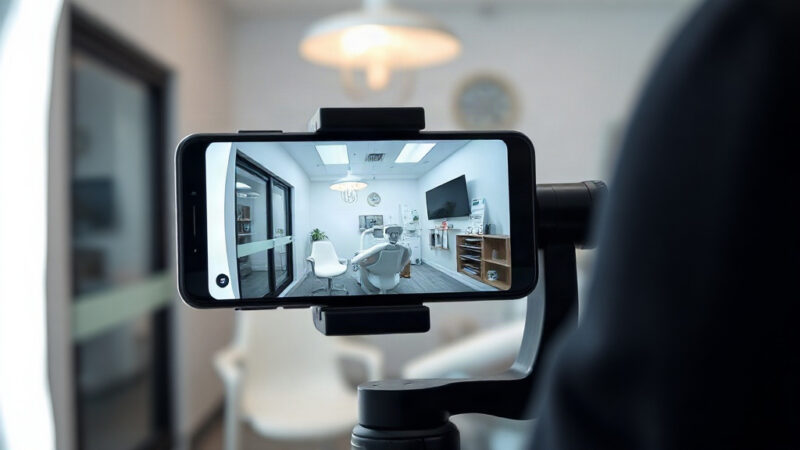
- Virtual office tours: 60-90 seconds showing the reception, operatories, and technology. Particularly effective for patients with dental anxiety, knowing what the space looks like reduces the fear of the unknown.
- Before-and-after case videos: With patient consent, short walkthroughs of cosmetic cases showing the process and result. High conversion value for cosmetic services.
What Equipment Do You Actually Need to Produce Quality Dental Videos?
You do not need a film crew. Modern smartphones shoot in 4K and produce hospital-quality footage. The constraint is lighting and audio, not the camera.
A functional dental video setup for under $1,000:
- Camera: iPhone 14 or newer, or any flagship Android. Or a mirrorless camera like the Sony ZV-E10 (~$600) for a step up in quality.
- Microphone: A lapel mic (Rode SmartLav+ or DJI Mic) dramatically improves audio quality. Bad audio kills video engagement faster than bad visuals.
- Lighting: A single LED ring light or softbox ($40-$150) eliminates the unflattering shadows and inconsistent color temperature of typical office lighting.
- Stabilization: A simple tripod or desk mount ($20-$50). Shaky footage signals low production value and undermines trust.
- Editing software: CapCut (free, mobile-friendly), DaVinci Resolve (free, professional-grade desktop), or Adobe Premiere Rush ($10/month).
For practices with budget for professional production: hiring a local videographer for a half-day shoot typically costs $500-$1,500 and can produce 8-12 polished videos. The cost per video is low, and professional footage has a 2-3 year shelf life.
How Should Dental Practices Use YouTube Strategically?
YouTube is a search engine, not just a video host. Optimizing your channel and videos for search produces organic patient discovery that compounds over time, unlike paid social, which stops the moment you stop paying.
YouTube SEO for dental practices:
- Channel setup: Complete your channel art, description (include practice name, city, and key services), and verify the channel with a phone number. Enable auto-chapters for longer videos.
- Video titles: Use keyword-research-driven titles. “What to Expect During a Root Canal at [Practice Name] in [City]” outperforms “Our Root Canal Process” for search discovery.
- Descriptions: Write at least 150 words in the video description. Include your target keywords naturally, your practice address, and links to your website and relevant service pages.
- Thumbnails: Custom thumbnails increase click-through rates by 30-40% compared to auto-generated ones. Use a clear, high-contrast image with minimal text overlay.
- Embed on website: Embed each YouTube video on the relevant service page. This improves on-page engagement metrics and passes YouTube authority to your site.
What Is the Best Video Strategy for Social Media Platforms?
Social video for dental marketing operates on different logic than YouTube. It is primarily about reach and brand awareness among existing followers and their networks, rather than search-intent discovery.
Platform breakdown:
- Instagram Reels: 15-30 second educational or behind-the-scenes content. Prioritize entertainment and relatability over sales. The algorithm rewards short-form video that drives replays.
- Facebook: Longer-form video (2-5 minutes) performs well on Facebook for the 35+ demographic that still uses the platform heavily. Patient testimonials and procedure explainers are strong performers.
- TikTok: Growing dental presence, particularly effective for practices targeting younger demographics (18-34). Content that shows the “day in the life” of the practice, myth-busting content, and before-and-after transitions perform well.
- LinkedIn: Appropriate for practices marketing to professional demographics or for dentist-to-dentist content if you see patients in professional industries.
Post consistently, two to four times per week. Inconsistency kills social algorithm reach. Repurpose content across platforms: a 3-minute procedure explainer becomes five 30-second Reels clips, a YouTube video, and an embedded website asset.
How Do You Create Compelling Patient Testimonial Videos?
Patient testimonial videos are the most persuasive marketing content a dental practice can produce. They are also the most commonly done poorly. The difference between a compelling testimonial and an awkward, scripted-looking video is almost entirely in the interview approach.
Best practices for patient testimonial videos:
- Ask specific questions, not “tell us about your experience.” Instead: “What were you worried about before your treatment?” “What surprised you most?” “What would you tell a friend who was nervous about coming to the dentist?” Specific questions produce specific, authentic answers.
- Do not script the patient. Coach them on the topic, then let them speak naturally. Rehearsed testimonials are obvious and undermine trust.
- Keep final videos under 2 minutes, 60-90 seconds is ideal for social; full 2-minute versions work on the website.
- Capture B-roll: footage of the patient smiling in the chair, a brief handshake with the dentist, close-up of the final result. This makes even simple testimonials look professionally produced.
- Obtain written HIPAA-compliant authorization before filming. The authorization should specify where the content will be used (website, social media, YouTube, advertising).
For more on using testimonials to build practice authority, see how patient testimonials build dental practice authority. For using video specifically in patient communication and education, see using video to improve dental patient communication.
How Do You Measure Video Marketing Performance?
Vanity metrics (total views, likes) are less useful than behavioral metrics that indicate conversion intent:
- Watch time percentage: How far do viewers get before dropping off? YouTube shows this in Analytics. A 50%+ average view duration for a 2-minute video indicates strong content.
- Click-through rate (CTR): What percentage of impressions result in a view? Low CTR indicates a weak thumbnail or title.
- Website traffic from video: Track referral traffic from YouTube to your site using UTM parameters in video description links.
- Phone call attribution: Ask new patients during the intake process how they found you and whether they watched any videos. Track this in your practice management software.
Video does two separate jobs in a dental practice. The sections above cover using it to reach new patients. The sections below cover using it with the patients already in your chair, for treatment explanation, consent and post-operative instructions.
Why Does Video Improve Patient Communication Better Than Verbal Explanation Alone?
Patients retain approximately 10% of verbal information delivered in a clinical setting, according to research published in the Journal of the Royal Society of Medicine. Add visual content and that retention rate climbs to 65%. This is not a small difference. It is the difference between a patient who follows post-op instructions and one who calls the office three times with preventable questions.
Dental patient communication video works for three core reasons. First, patients can pause, rewind, and rewatch at home, when the stress of the dental chair has passed and they are actually absorbing the information. Second, video normalizes procedures. Seeing a calm, friendly clinician explain exactly what a root canal involves reduces catastrophizing. Third, video provides a consistent message. Every patient receives the exact same accurate information regardless of which team member does the explaining.
How Can Treatment Explanation Videos Increase Case Acceptance?
Dental Economics research has found that case acceptance rates improve by 20-40% when patients receive pre-treatment educational video content compared to verbal explanation alone. The mechanism is straightforward: patients who understand a procedure are less afraid of it, and patients who are less afraid are more likely to say yes.
Effective treatment explanation video structure:
- Open with the patient’s outcome, not the procedure: “After your implant, you’ll have a permanent tooth that looks, feels, and functions like a natural tooth” lands better than opening with a surgical description.
- Address the top three fears directly: For most procedures, these are pain, time, and cost. Acknowledge them explicitly and answer them honestly.
- Use animation for internal anatomy: Showing what happens inside the tooth or gum during a root canal or extraction makes the abstract concrete. Third-party libraries like Caesy or Consult-PRO offer licensed dental procedure animations.
- End with a clear next step: “Your appointment is scheduled for [date]. Here’s what to bring and what to expect when you arrive.”
Send treatment explanation videos via email or text link the day before the appointment. This timing catches patients when they are thinking about their visit and gives them an opportunity to ask informed questions during the appointment.
Can Video Be Used for Informed Consent in Dental Practices?
Video consent supplements, but does not replace, written informed consent documentation. The legal standard for informed consent requires that the patient demonstrate understanding and agreement, which a written signature provides. What video does is dramatically improve the quality of patient understanding before that signature is obtained.
Video consent workflows in dental practices:
- Patient watches a 3-5 minute procedure-specific consent video in the waiting room or on a tablet in the operatory before the clinical team reviews the consent form
- The video covers the procedure, alternatives, risks, benefits, and what to expect, the same content legally required in a verbal consent discussion
- The dentist then reviews the written consent form, confirms understanding, answers questions, and obtains signature
- Some practices document in the chart that the patient viewed the consent video. This creates a stronger informed consent record in the event of a dispute
A critical HIPAA note: video consent content should never include patient-identifiable information. Use generic clinical animation or consult with your practice attorney before creating patient-facing consent video that references specific patient details.
What Post-Operative Instruction Videos Should Dental Practices Create?
Post-op instruction videos are among the highest-value, lowest-cost clinical communication investments a dental practice can make. A 3-minute video covering post-extraction care reduces after-hours calls, improves patient outcomes, and saves front desk time spent repeating the same instructions.
High-priority post-op video topics:
- Extraction aftercare: Clot formation, dry socket prevention, diet restrictions, activity limits, and when to call the office
- New denture/partial adjustment: What soreness is normal, how to clean, what to eat initially, follow-up scheduling
- Clear aligner instructions: Wear time, cleaning protocol, attachment care, what to do if a tray cracks
- Crown preparation recovery: Temporary crown care, sensitivity expectations, bite adjustment process
- Implant healing protocols: Osseointegration timeline, oral hygiene around the site, dietary restrictions, signs of complication
- Whitening aftercare: Avoidance periods, sensitivity management, maintenance schedule
Delivery method: text message with a video link immediately after discharge works better than email for most demographics. Include a brief note from the office alongside the link: “Here’s a short video covering everything to know after your extraction today. Call us at [number] if you have any questions.”
How Should Video Be Used in the Waiting Room?
Waiting room video is an underutilized educational channel. Patients sitting in your waiting room are a captive audience with high anxiety and time to absorb information, the ideal conditions for educational content that primes them for case acceptance conversations.
Effective waiting room video programming:
- Service introductions: Short features on services patients may not know you offer (sleep apnea treatment, Invisalign, implants). A patient who sees a 90-second video on sleep apnea may realize for the first time that their dentist can help with a problem they have been ignoring.
- Practice culture and team: Warm, approachable content showing the team, reduces anxiety by making the clinical environment feel familiar before the patient is called back.
- Preventive education: Information about fluoride, oral cancer screening, systemic oral health connections. Positions the practice as a health partner, not just a service provider.
- Current promotions or new technology: Brief features on new equipment or offerings are appropriate in waiting room context without feeling pushy.
Software like Officite TV or custom displays via Apple TV allow you to create branded, looping waiting room playlists without technical complexity. Avoid generic cable TV. You control neither the content nor the advertising that appears.
What Are the HIPAA Constraints on Patient Communication Videos?
Patient communication videos that include identifiable patient information are subject to the same HIPAA rules as any other Protected Health Information (PHI). The core constraints:
- Never include patient names, faces (without explicit written consent), or any details that could identify a specific patient in a video shared externally
- Store internal patient education videos on HIPAA-compliant platforms. Google Drive and standard Dropbox are not HIPAA-compliant; opt for compliant solutions like Microsoft OneDrive for Business or AWS with a BAA in place
- Any video used in a patient’s chart (e.g., consent documentation) is part of the medical record and subject to records retention and access rules
- Before filming any patient for an educational or testimonial video, obtain a separate HIPAA-compliant media release authorization specifying exactly where and how the content will be used
How Do You Personalize Video Communication at Scale?
Personalization at scale is now achievable for individual dental practices through tools like Loom, BombBomb, and Delphi. These platforms allow short-form personalized video messages, from the dentist directly to the patient, that feel like a personal note rather than a mass communication.
High-value personalized video use cases:
- Pre-appointment welcome video from the dentist to a nervous new patient
- Post-treatment check-in from the hygienist reviewing what they found and recommended follow-up
- Treatment plan presentation video for complex cases, allows the patient to review at home with family before deciding
These take 2-3 minutes to record and have open rates 3× higher than text emails, according to BombBomb’s internal platform data. The perceived effort signals patient care in a way that form letters and automated texts cannot replicate.
Key Takeaways
- 84% of video marketers report video directly helped generate leads
- Patient testimonial videos are the highest-converting dental video type when done authentically
- YouTube requires keyword-optimized titles, descriptions, and custom thumbnails, treat it as a search engine
- You need basic lighting, a lapel mic, and a modern phone, not a professional production crew
- Repurpose each video across YouTube, website, Instagram, Facebook, and TikTok to maximize ROI
For more resources on this topic, see our complete guide to dental practice marketing.